
How to Play DS Games using Four Weasels
Weasels
Weasels (aka Joy Cons) are a super easy way to transform any bad single player game into a multiplayer, cooperative experience.

Motivation

Ever wanted to play garbage, old DS games with your friends? This method works best with games that mostly use the D-Pad / Buttons not touchscreen. Takes at most 5 mins.
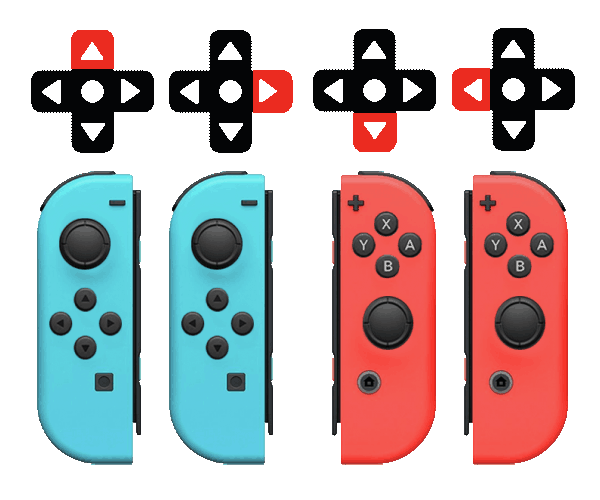
This guide will show you how to set up four weasels to cooperatively control a retro DS game.
Requirements
- Windows :(
- 4 Charged “Weasels”
- Legally Aquired DS Rom
Steps
- Test your game w/ dessmume
- Pair the weasels
- Configure JoyToKey
- Fix DS hotkeys and controls
Test your game w/ DeSmuMe
Download desume and try it on you ROM.
I’d recommend using both screens side by side:

Pair the Weasels
Connect weasels the same way you connect literally any bluetooth device.
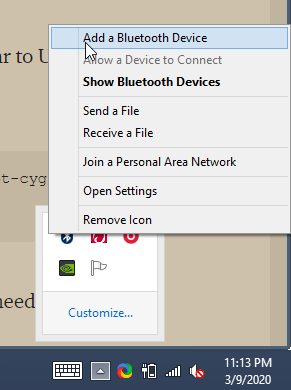
All four weasels should have “Connected” under them (not pictured here).

Configure JoyToKey
Download the tool here or by visiting their downloads page
First, make sure that all four weasels seem to visible by JoyToKey by clicking the “Options” tab. 
Next, open up the configuation folder. 
Copy corey.cfg into that folder.
You might need to restart JoyToKey with File->Exit to see they “corey” configuration show up on the left side. Notice that all directions on controller 1 are bound to “W” (Up). 
Fix DS Hotkeys and Controls
Have the Emulator show you what inputs are being pressed (for Troubleshooting):

Open the Controls Menu from the Emulation tab and change the controls to what you see in the image here:

Open the Hotkey menu and delete all of the hotkeys in the right column using escape.

Troubleshooting
Weasels Keep Disconnecting
Move them closer.